PHP powers millions of websites, web applications and business platforms worldwide. From WordPress websites to custom business applications, PHP plays an important role in modern web development.
However, October 2026 brought serious security concerns for PHP users.
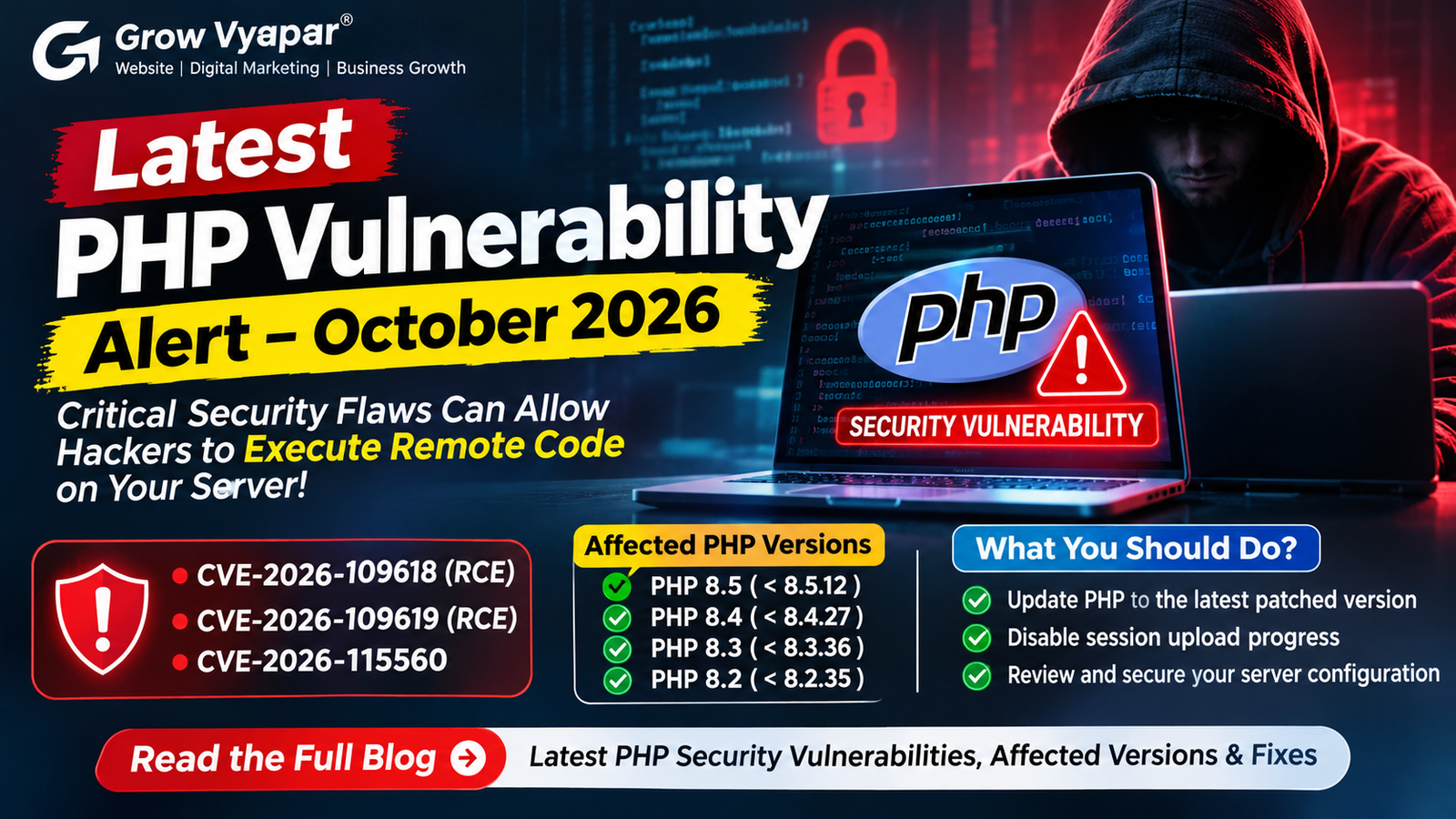
The PHP development team disclosed two critical security vulnerabilities on 21 October 2026 that could allow unauthenticated attackers to execute malicious code remotely on vulnerable servers. A third, less common Remote Code Execution (RCE) issue was also disclosed on 23 October 2026.
These vulnerabilities have raised concerns among website owners, hosting providers, developers and cybersecurity professionals.
If your website runs on PHP, this is an important security update you should not ignore.
What Happened? Latest PHP Security Vulnerabilities in October 2026
On 21 October 2026, the PHP development team released security updates addressing two critical vulnerabilities:
-
CVE-2026-109618
-
CVE-2026-109619
Both vulnerabilities received a CVSS score of 9.2, indicating critical security risks.
The vulnerabilities could allow attackers to execute arbitrary code on affected servers without authentication.
According to security advisories, the issues affect PHP installations serving web requests, including PHP-FPM, Apache mod_php, PHP-CGI, FrankenPHP and LiteSpeed.
On 23 October, PHP also disclosed another RCE-related issue, CVE-2026-115560, involving a specific and unusual session configuration.
1. CVE-2026-109618: Remote Code Execution Through Memory Corruption
The first vulnerability is related to PHP's Out-of-Memory (OOM) handling mechanism.
PHP uses a memory limit to prevent scripts from consuming excessive server resources. However, under certain conditions, exceeding this limit can interrupt PHP while internal request data is only partially initialised.
This can result in memory corruption during request cleanup.
An attacker could potentially exploit this condition to execute malicious code on the affected server.
Why is this dangerous?
-
Attackers may not need a valid login.
-
Malicious requests can target vulnerable PHP applications.
-
Successful exploitation could compromise server resources and application data.
-
Websites running vulnerable PHP versions may be exposed even before application-level security checks.
2. CVE-2026-109619: Remote Code Execution Through Stale Global State
The second vulnerability involves stale internal global state.
In certain situations, PHP request-related internal data can remain accessible after its associated memory has been released.
If a later request handled by the same worker uses this outdated state before proper initialisation, memory corruption can occur.
Under exploitable conditions, this could allow remote code execution.
This is particularly concerning for web servers that process multiple requests through persistent workers.
3. CVE-2026-115560: Another PHP Security Issue
On 23 October 2026, PHP disclosed an additional RCE-related vulnerability identified as CVE-2026-115560.
Unlike the first two vulnerabilities, this issue requires an unusual combination of application and PHP configuration.
The affected configuration involves:
-
Using a specific session serialization handler.
-
Changing the serialization handler at runtime using ini_set().
-
Starting a session with session upload progress enabled.
PHP recommends disabling session upload progress until the next regular bug-fix release to fully mitigate this specific issue.
session.upload_progress.enabled = 0Restart all relevant PHP workers after applying the configuration.
Which PHP Versions Are Affected?
According to the PHP security advisories, the following versions require attention:
| PHP Branch | Security-Fixed Version |
|---|---|
| PHP 8.5 | 8.5.12 |
| PHP 8.4 | 8.4.27 |
| PHP 8.3 | 8.3.36 |
| PHP 8.2 | 8.2.35 |
Versions before these security-fixed releases are affected by the two critical vulnerabilities.
PHP 8.1 and older versions are also a concern because they no longer receive regular security updates from the PHP project. Check with your distribution or long-term support provider for available backported fixes.
Important: Do not assume that a website is secure simply because it uses PHP 8.2 or a newer version. Check the exact installed patch release.
How Can You Protect Your Website From PHP Vulnerabilities?
Website owners, developers and server administrators should take immediate action.
1. Check Your Current PHP Version
If you use a hosting control panel, open your PHP configuration or PHP version manager and check the installed version.
You can also check through the command line:
php -vThis displays the PHP version available to the command-line environment. Remember that the PHP version used by your website may differ.
2. Update PHP to a Security-Fixed Version
Upgrade to the appropriate patched version:
-
PHP 8.5.12 or later
-
PHP 8.4.27 or later
-
PHP 8.3.36 or later
-
PHP 8.2.35 or later
Use a currently supported branch and confirm that your applications and hosting environment are compatible.
3. Disable Session Upload Progress Temporarily
Add the following configuration to the appropriate server-level PHP configuration:
session.upload_progress.enabled = 0This is an important mitigation for CVE-2026-109619 and CVE-2026-115560.
Make sure the setting takes effect before request parsing and restart all relevant PHP workers.
4. Review Server Configuration
Check your PHP-FPM, Apache, LiteSpeed or other PHP execution configuration.
Review file-upload limits, request-size restrictions and memory settings according to the official PHP security advisory.
5. Monitor Server Activity
Monitor:
-
Unusual server resource consumption.
-
Unexpected PHP processes.
-
Suspicious file modifications.
-
Unauthorised changes to website files.
-
Unexpected outbound network connections.
-
Repeated PHP errors and unusual requests.
6. Back Up Your Website
Before performing major PHP upgrades, create backups of your website files and databases.
Test the upgrade in a staging environment whenever possible.
Are WordPress and Other PHP Websites at Risk?
Yes. WordPress and many other content management systems, ecommerce platforms and custom PHP applications depend on PHP.
The vulnerabilities are related to the PHP runtime itself, rather than a particular WordPress plugin or theme.
This means that updating WordPress plugins alone will not fix a vulnerable PHP installation.
Website owners should:
-
Check the PHP version configured for their website.
-
Contact their hosting provider if they cannot update PHP themselves.
-
Update vulnerable server components.
-
Keep WordPress core, themes and plugins updated.
-
Review server logs and security alerts.
What Should Businesses Do Next?
A website is more than an online presence. It can contain customer information, business enquiries, contact details, order records and other valuable business data.
A security vulnerability can put these resources at risk.
Businesses should treat website security as an ongoing responsibility rather than a one-time activity.
A reliable website maintenance strategy should include regular updates, secure hosting configuration, backups, access control, vulnerability monitoring and periodic security reviews.
Conclusion
The October 2026 PHP security disclosures are an important reminder that even widely used and mature technologies can contain serious vulnerabilities.
CVE-2026-109618 and CVE-2026-109619 demonstrate how low-level memory-management issues can create opportunities for remote code execution. CVE-2026-115560 highlights the importance of reviewing application-specific PHP configurations.
If your website uses PHP, check your installed version, apply the appropriate security updates and review the official recommendations.
Do not wait for a security incident before protecting your website.
At Grow Vyapar, we believe that website development should go hand in hand with website security, performance and regular maintenance.
A secure website helps protect your business, your customers and your online reputation.
Frequently Asked Questions (FAQs)
1. What is the latest PHP vulnerability in 2026?
PHP disclosed two critical RCE vulnerabilities, CVE-2026-109618 and CVE-2026-109619, on 21 October 2026, followed by CVE-2026-115560 on 23 October.
2. Can hackers execute code on a PHP server remotely?
Yes. The two critical vulnerabilities can potentially allow unauthenticated remote code execution on affected PHP installations.
3. Which PHP versions should be updated?
The security-fixed releases are PHP 8.5.12, 8.4.27, 8.3.36 and 8.2.35.
4. Is WordPress affected by the PHP vulnerability?
WordPress websites running vulnerable PHP installations may be exposed. Updating WordPress alone does not fix the underlying PHP runtime vulnerability.
5. How can I check my PHP version?
Use the php -v command or check your hosting control panel's PHP version manager.
6. Does disabling PHP session upload progress fix all three vulnerabilities?
No. It mitigates the confirmed session-related attack paths, but upgrading to the appropriate security-fixed PHP release is essential for fully addressing the first two vulnerabilities.
7. Why is website maintenance important?
Regular website maintenance helps businesses identify outdated software, security vulnerabilities, performance issues and configuration problems before they become bigger risks.